Guide
IMAP vs POP3 for Small Business Email
Use IMAP. It keeps your mail on the server, so your phone, laptop and office computer all show the same inbox. POP3 downloads mail to one device and, by default, deletes it from the server. Pick POP3 only if one computer is the only place you ever read mail and you back it up.
Things to Know
- IMAP syncs every device. POP3 copies mail to one device and often removes it from the server.
- Both should run encrypted. IMAP uses port 993 and POP3 uses port 995.
- Sending mail is a separate setting. That is SMTP, usually port 587.
- On October 20, 2026 Gmail, iCloud and Zoho did not answer at all on the old unencrypted ports in our test.
- Gmail stops fetching other accounts by POP for existing users in January 2027. Plan the switch now.
Synced or Downloaded
We set up a lot of business email. When a shop owner tells us mail vanished from the office computer, or the phone shows messages the laptop never got, the cause is almost always the same. Somebody set the account up as POP3 years ago.
In plain terms, the two work like this.
- IMAP leaves your mail on the server. Every phone, laptop and desktop looks at the same mailbox. Read it on one, and it shows as read on all of them.
- POP3 downloads your mail to one device. By default, it then removes it from the server. Microsoft's Exchange Online docs say exactly that, and add that most apps can be told to keep a copy.
For a business with more than one device or more than one person, IMAP wins. Most top results on this question stop at the definitions. This guide gives you the settings, the ports we tested live, and how to switch without losing mail.
IMAP vs POP3 Side by Side
| IMAP | POP3 | |
|---|---|---|
| Where mail lives | On the server | On the one device that downloaded it |
| Read on phone and laptop | Yes, both stay in sync | Each device gets its own copy, or none |
| Folders | Synced to every device | Only the inbox is downloaded |
| Sent mail | Can be saved on the server | Stays on the device that sent it |
| Works offline | Mail you already opened | All mail you downloaded |
| If the computer dies | Mail is still on the server | Mail is gone unless you backed it up |
| Encrypted port | 993 | 995 |
| Old unencrypted port | 143 | 110 |
| Current standard | RFC 9051, 2021 | RFC 1939, May 1996 |
The dates tell the story. POP3 was designed for use on one computer, as Microsoft's own explainer puts it. Its standard says mail is normally downloaded and then deleted. IMAP was built to let a client work with mail that stays on the server and sync back after time offline.
Which One Should Your Business Use?
Use IMAP if any of these are true.
- You read email on a phone and a computer.
- More than one person checks the same address, like info@ or service@.
- You want sent mail and folders to follow you to a new device.
- You do not run your own backups.
POP3 can still make sense if all of these are true.
- One computer is the only place that mailbox is ever read.
- You back that computer up.
- Your mailbox on the server is small and fills up fast.
That last reason used to be common. It is much less common now. Microsoft 365 Business Basic and Standard give each user a 100 GB mailbox, per Microsoft's limits page. Space is rarely the reason to choose POP3 anymore.
The Exchange and Gmail App Option
If you use Microsoft 365 or Google Workspace, you may not need either one. Microsoft says POP3 and IMAP4 give you basic email but not the rich calendar and contacts you get in Outlook or Outlook on the web. On a phone, the Outlook app or the Gmail app usually beats a hand built IMAP account. Use IMAP for apps that do not speak your provider's own system.
Server Settings for the Big Providers
These are the incoming settings each provider publishes. We opened every page on October 20, 2026. The username is almost always your full email address.
| Provider | IMAP server | IMAP port | POP3 server | POP3 port | Outgoing SMTP |
|---|---|---|---|---|---|
| Gmail and Google Workspace | imap.gmail.com | 993 | pop.gmail.com | 995 | smtp.gmail.com, 587 or 465 |
| Microsoft 365 business | outlook.office365.com | 993 | outlook.office365.com | 995 | smtp.office365.com, 587 |
| Outlook.com personal | outlook.office365.com | 993 | outlook.office365.com | 995 | smtp-mail.outlook.com, 587 |
| iCloud Mail | imap.mail.me.com | 993 | Not offered | None | smtp.mail.me.com, 587 |
| Zoho Mail, paid custom domain | imappro.zoho.com | 993 | Not tested | Not tested | smtppro.zoho.com, 465 or 587 |
Sources for each row are Google's IMAP and SMTP page, Gmail's POP page, Microsoft's Exchange Online page, Microsoft's Outlook.com page, Apple's iCloud page and Zoho's IMAP page. Apple states plainly that iCloud Mail does not support POP.
Things That Trip People Up
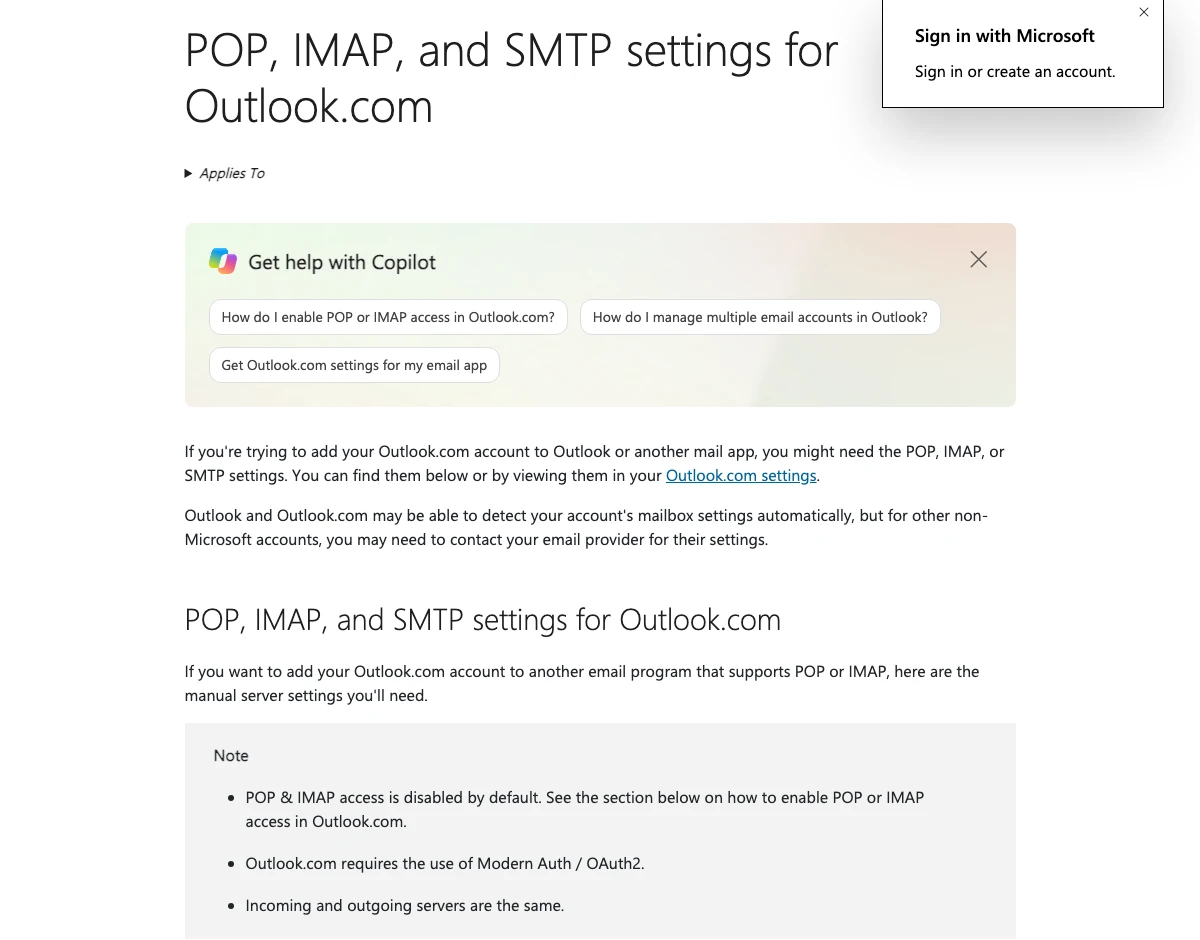
- IMAP and POP may be switched off. Microsoft says Outlook.com accounts start with POP and IMAP disabled. In Microsoft 365, Microsoft says both are on by default, but they are turned off automatically if your company uses security defaults.
- Your normal password may not work. Microsoft turned off basic sign in for POP and IMAP in Exchange Online. Its deprecation page says no one can turn it back on. Your mail app has to support the Microsoft sign in window. Gmail says the same thing in its own words. It no longer lets apps sign in with just your Google username and password, per Google's help page. Look for a Sign in with Google button.
- Zoho's free plan has no IMAP. Zoho says new free plan users do not get IMAP access. If you need mail in Outlook or on an iPhone mail app, plan on a paid Zoho plan.
- Gmail caps it at 15 apps. Google allows Gmail in up to 15 email clients at a time per account.
What We Found Testing the Servers
Many guides, and the AI answer at the top of Google, still list ports 143 and 110. We wanted to know if those still work. On October 20, 2026, between 7:12 and 7:19 in the morning Pacific time, we connected to each provider's published incoming server from our office. We tried the encrypted port and the old unencrypted port. We did not log in. We only read the greeting and, on the old ports, the list of features the server offered. We ran the whole test twice and got the same answer both times.
Three things stood out.
- Every encrypted port answered with TLS 1.3. That is the newest version. Ports 993 and 995 are the right settings everywhere we tested.
- Gmail, iCloud and Zoho did not answer on the old ports at all. If an old guide or an old phone setup says port 143 or 110 for those providers, it will hang and time out. That looks like a password problem, but it is a port problem.
- Microsoft still answers on 143 and 110, but not in the clear. On port 143 its server announced that login is disabled until the connection is encrypted. On port 110 it offered to switch to encryption. Even where the old doors are open, use 993 and 995.
That matches the standard. RFC 8314, from January 2018, tells mail apps to connect with encryption from the first second, on ports like 993 and 995, rather than the old plain ports.
Gmail Is Retiring POP Fetching
If your business address forwards into a free Gmail account using the setting called Check mail from other accounts, that setting runs on POP. Google says Gmail will stop checking other accounts through POP. New users lost it after the first quarter of 2026. Existing users can keep using it until January 2027, per Google's notice.
Google lists two ways forward. Turn on automatic forwarding at your other provider, or add the account to the Gmail app on your phone using IMAP. If you rely on this, fix it before January, not the week mail stops.
How to Switch From POP3 to IMAP Without Losing Mail
Order matters here. With POP3, your old mail may exist only on that one computer. If you delete the POP account first, that mail can go with it.
- Back up the computer first. Export the mail or copy the mail file before you touch anything.
- Check what is on the server. Log in to webmail in a browser. If the inbox there is empty or short, your history lives on the computer.
- Add the same address again as IMAP. Use the settings in the table above. Keep the POP account in place for now.
- Move the old mail up. Drag folders from the POP account into the IMAP account in your mail app. Moving into an IMAP folder copies it to the server.
- Check from a second device. Open webmail or your phone and confirm the old mail is there.
- Remove the POP account last. Only after you can see everything from another device.
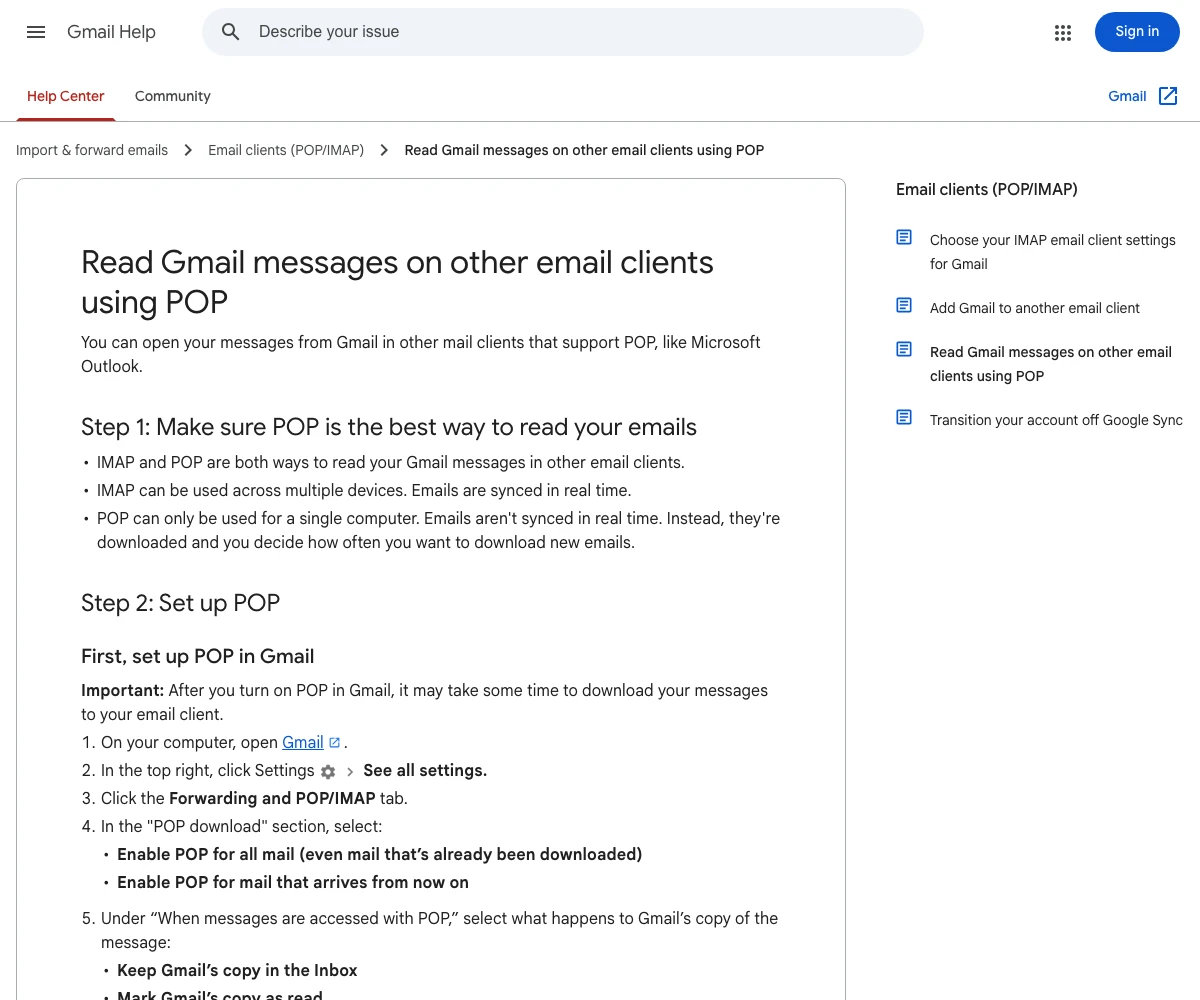
If someone must stay on POP3 for now, turn on Leave messages on server in the app. Gmail's POP page suggests the same, and it lets you choose what happens to Gmail's copy after a POP download, from keep it to delete it.
Where Most Answers Fall Short
Most answers to this question miss four things.
- No settings. The most linked result, a 2025 post on an email sending company's blog, lists no server names and no ports.
- Old security claims. That same post says POP3 does not support encryption. It does, on port 995, and every POP3 port we tested offered it.
- The plain ports are treated as normal. The AI answer at the top of Google lists port 143 as an unencrypted option for IMAP and 110 for POP3. Three of the four providers we tested do not answer on them at all.
- No sign in warning. None of the top pages we read explain that Microsoft and Google turned off simple password sign in for these protocols. That is the reason most new setups fail today.
Get Help With Business Email
T3CHS sets up business email at your own domain on IMAP from day one, with phones and computers in sync. Before you switch, our business email setup guide covers the domain side. If mail stops arriving after a change, see our guide to not receiving emails. Call or text (949) 65-T3CHS, or ask us to set it up.
Before You Call
Should I set up an email with POP or IMAP?
IMAP for almost every business. It keeps mail on the server so every phone and computer stays in sync. Use POP3 only when one backed up computer is the only place you read that mailbox.
Is POP3 used anymore?
Yes, but less each year. Gmail and Microsoft 365 still offer it on port 995. iCloud Mail does not offer POP at all, and Gmail is ending POP fetching from other accounts for existing users in January 2027.
What are the disadvantages of using IMAP?
Your mail lives on the server, so the mailbox size limit matters and you need a connection to read mail you have not opened yet. Delete a message on one device and it is gone on all of them.
Is your IMAP password the same as your email password?
Usually it is your normal account, but Gmail and Microsoft no longer accept a plain password from most apps. You sign in through a Google or Microsoft window instead. Some devices need an app password.
What port does IMAP use?
Port 993 with SSL or TLS. Port 143 is the old unencrypted port. In our October 20, 2026 test, Gmail, iCloud and Zoho did not answer on 143 at all.
What port does POP3 use?
Port 995 with SSL or TLS. Port 110 is the old unencrypted port, and Gmail did not answer on it in our test.
Will switching from POP3 to IMAP delete my email?
Not if you keep the POP account until your old mail is copied up. Add the IMAP account, drag the old folders into it, check from another device, then remove the POP account.
Cited Pages
- RFC 9051: Internet Message Access Protocol, Version 4rev2rfc-editor.org
- RFC 1939: Post Office Protocol, Version 3rfc-editor.org
- RFC 8314: Cleartext Considered Obsoleterfc-editor.org
- Microsoft Learn: POP3 and IMAP4 in Exchange Onlinelearn.microsoft.com
- Microsoft Learn: Deprecation of Basic Authentication in Exchange Onlinelearn.microsoft.com
- Microsoft Support: POP, IMAP, and SMTP Settings for Outlook.comsupport.microsoft.com
- Google for Developers: Gmail IMAP and SMTPdevelopers.google.com
- Gmail Help: Read Gmail Messages on Other Email Clients Using POPsupport.google.com
- Gmail Help: Add Gmail to Another Email Clientsupport.google.com
- Gmail Help: Upcoming Changes to Gmailify and POP in Gmailsupport.google.com
- Apple Support: iCloud Mail Server Settingssupport.apple.com
- Zoho Mail Help: IMAP Accesszoho.com
- Microsoft Support: What Is the Difference Between POP and IMAP?support.microsoft.com
- Microsoft Learn: Exchange Online Limitslearn.microsoft.com
Last reviewed October 24, 2026.
See more of our reporting when you search.
Want T3CHS first in Google? Set us as a preferred sourceWhere This Leads
Put it to work
- Business Email HostingEmail on your own domain that lands in the inbox.
- Email Security CheckerCheck SPF, DKIM, DMARC and MX in one go.
More guides
- How to Get Business Email on Your Own DomainPick a provider like Google Workspace or Microsoft 365, create mailboxes, point your MX records to it, then add SPF, DKIM and DMARC.
- Google Workspace vs Microsoft 365 for Small Business (2026)In October 2026 the two cost the same. Both start at $7 a user a month on a yearly plan and $8.40 on a monthly one. So pick on how your team works. Pick Microsoft 365 if you need Word and Excel installed on a computer. Pick Google Workspace if your team lives in Gmail and the browser.
- Not Receiving Emails at Your Business Address? Start HereIf mail to your business address stops, test it from another account and read the bounce. A bounce with a reason means the problem is on your side, usually a full mailbox, a missing address or an MX record that points nowhere. No bounce and no mail usually means spam, a filter or a forwarding rule.
- All GuidesEvery guide in one place.
Look up a term
- Tech GlossaryPlain meanings for 49 tech words.