Guide
Fix This Site Can't Be Reached on Your Own Business Site
When your own site shows This Site Can't Be Reached for everyone, the fault is almost never the visitor's Wi-Fi. Read the code under the message. A name error points at your domain or DNS, and a refused or timed out connection points at your host. Fix the one the code names.

Three Things to Know
- Of 2,000 small business sites we tested on October 23, 2026, 83 could not be reached. 79 of those failed at the name, before any server was asked.
- The biggest cause was a domain the registry no longer had on file at all. Expired names and name servers that stopped answering came next.
- Google treats DNS and connection errors like server errors and drops pages that stay unreachable within days.
Every fix you find for this error starts with your router. Restart it, clear your cache, flush your DNS. That advice is for the visitor. When the site that will not load is your own, and it fails for everyone, the cause sits with your domain or your host. Chrome's own source code splits this one gray page into separate failures. A host name that could not be resolved, a connection that was refused, and a connection that timed out are three different codes.1
So skip the router. Read the code first.
Read the Code Under the Message
Chrome prints a short code in small capitals under the headline. It names the step that failed.
| Code under the message | What it means for an owner | Who fixes it |
|---|---|---|
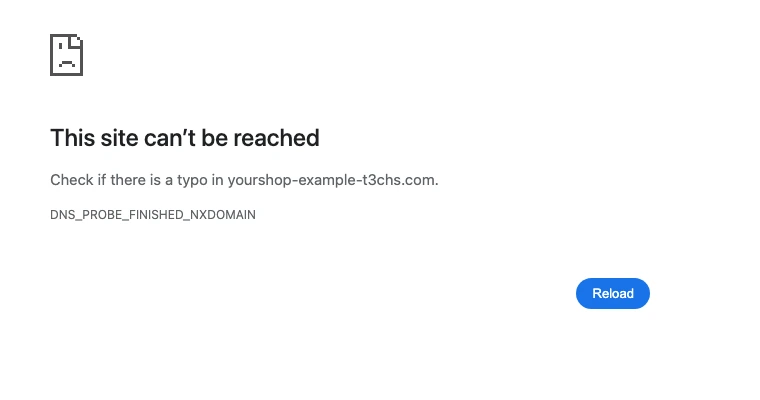
| DNS_PROBE_FINISHED_NXDOMAIN | The name does not exist. Expired, deleted or mistyped domain | Your registrar |
| ERR_NAME_NOT_RESOLVED | The name could not be looked up. Silent name servers or a missing record | Whoever runs your DNS |
| ERR_CONNECTION_REFUSED | The server said no. Web server stopped, or DNS points at the wrong server | Your host |
| ERR_CONNECTION_TIMED_OUT | Nobody answered. Server down, a firewall, or an old address in DNS | Your host, then your DNS |
| DNS_PROBE_FINISHED_NO_INTERNET | The visitor is offline. Not your site | The visitor |
| DNS_PROBE_FINISHED_BAD_CONFIG | The visitor's DNS is broken. Usually not your site | The visitor |
The DNS probe codes come from a check Chrome runs after a name fails. Chrome's code says NXDOMAIN means the DNS servers worked fine, so the domain must not exist.2 That one is almost never the visitor's fault.
Is It Your Site or Their Connection?
Do this before you call anyone. It takes two minutes.
- Load your site on your phone with Wi-Fi off. If it works on cell data, the problem is the network the visitor was on.
- Ask for the code, or a photo of the screen. NO_INTERNET and BAD_CONFIG are on their side. Every other code in the table is worth checking on yours.
- Try both versions of your address. Type yourshop.com, then www.yourshop.com. One can work while the other fails.
- Look up your domain in our DNS lookup tool. If it finds no address for your name, the problem is your domain or DNS, and no router restart anywhere will fix it.
If the site fails on your phone, on cell data, it is your site.
What We Found on 2,000 Small Business Sites
We wanted to know how often this hits real business sites, and why. So on October 23, 2026 we picked 2,000 independent auto repair shop domains at random. Between 7:10 and 7:11 in the morning Pacific time, we looked up the address each shop lists and tried to connect to it. We checked every failure again a minute later. All of them still failed. For each name that did not resolve, we asked the registry for its status.
1,907 sites answered on the normal secure port. 10 more answered only over plain http. The other 83 could not be reached at all. That is about 1 site in 24.
79 of the 83 failed at the name. Only 4 got as far as a server that would not answer. That is the whole case against the router advice.
- 48 domains were gone. The registry had no record of the name at all. The shop let it lapse and it was deleted, or the address was never registered the way it is listed.
- 9 were registered but switched off. 7 had expired between August 10 and September 9, 2026, and sat in redemption, on hold or pending delete. 2 more were on hold even though they were paid up into 2027.
- 11 were paid up but their name servers did not answer. Three of them still pointed at Cloudflare name servers that gave no answer for the name. That often means the site was removed from a DNS account while the registrar still sends visitors there.
- 4 listed a www address that had no record. The plain domain worked. The version printed on the listing did not.
- 4 had a server problem. 3 never answered on either port. 1 refused both.
The other version of the address failed quietly too. Of the 1,907 sites that worked, 41 failed when we tried the version the shop does not list, with or without www. An owner who only types one version would never know.
The Owner Causes, Most Common First
Your Domain Expired or Was Deleted
Expiry is the cause owners most often miss, because the reminder emails went to an old inbox. ICANN's Expired Registration Recovery Policy says registrars must send notices about a month and about a week before a name expires. After expiry, the registrar must cut off DNS for at least the last 8 days you can still renew. After deletion, most endings give a 30 day redemption period with DNS switched off.3
A hold does the same thing. ICANN says a name on clientHold or serverHold is not activated in the DNS and will not resolve.4 ICANN says registrars usually set clientHold during legal disputes, for non-payment, or when a name is about to be deleted.4
To check, look up your domain in ICANN Lookup.5 The status line and the expiry date answer most of it. If you see redemption period, call your registrar today. Our guide to expired domains walks through each stage and what it costs to get back.
Your Name Servers Stopped Answering
Your registrar tells the world which name servers hold your DNS. If those servers no longer have your domain, every lookup fails even though the name is paid for. It happens after you cancel a hosting plan, delete a site from Cloudflare, or move DNS and forget to update the registrar.
The fix is a match. The name servers listed at your registrar must be the ones that actually hold your records. Our DNS records guide shows where each record lives.
The www Version Has No Record
Your domain and its www version are two separate names in DNS. Each needs its own record. Most hosts add both, but a hand made DNS setup often has only one. Add the missing one, usually a CNAME for www, then make one version forward to the other.
The Server Refused or Never Answered
When the name works but the connection does not, the problem has moved to your host.
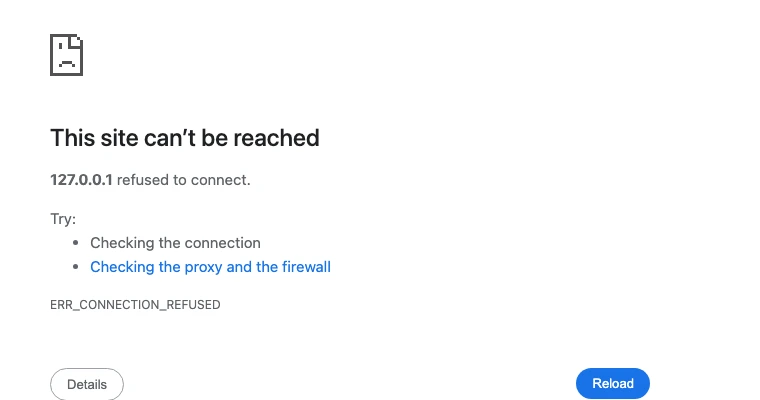
Refused means a machine answered and turned the visit away. The web server may be stopped, or your DNS may point at an old server that no longer runs your site. Timed out means nothing answered at all. That is a server that is off, a firewall that drops the visit, or an address that belongs to nobody anymore. Google's crawler guide points the same way. Check your firewall rules, check that your A and CNAME records point to the right place, then call your host.6
Fix It in This Order
Work down the list and stop when the site loads on your phone, on cell data.
- Check the domain's status and expiry date. Renew it if it lapsed. Clear any hold with your registrar.
- Check the name servers at your registrar. They must match the DNS provider that holds your records.
- Look up both versions of your name. Each one needs an address. Add whatever is missing.
- Check the address the records point to. It must be your current host, not one you left.
- Ask your host if the server is up. Send the code, the time with your time zone, and what changed that week.
- Clear the big public caches after a DNS change. Google Public DNS has a Flush Cache page. After a registrar or DNS host change, flush the main domain first, then any subdomains.7
Then test all four versions of your address from your phone. With and without www, with and without https.
What Google Does While You Are Down
Google's crawler guide says it treats network timeouts, connection resets and DNS errors much like server errors. It slows its crawl right away. It cannot index a page it cannot reach, and pages already indexed that stay unreachable are removed within days.6
So an expired domain is not a slow leak. It can take your pages out of search inside a week. The same guide says a DNS change made in the last 72 hours may still be spreading, so give a fix time before you panic.6
Keep It From Happening Again
- Turn on auto renew and check the card on file. 7 of the 9 switched off names in our test had expired within the past three months.
- Put a current email on the domain. Renewal notices go there. A dead address means no warning.
- Write down where your DNS lives. One line in a shared note. Registrar, name servers, host.
- Set up both versions of your name. Then forward one to the other.
- Run an uptime monitor. It texts you when the site stops answering, before a customer does.
Our small business website checklist has the rest of the monthly checks.
Get Help When Your Site Will Not Load
T3CHS can take over your domain and DNS so renewals and records stop being a guessing game. Call or text (949) 65-T3CHS, or send us the code you see.
Before You Call
Why does my website say This Site Can't Be Reached?
The browser could not find your domain or could not connect to your server. Read the code under the message. A name error means a domain or DNS problem. A refused or timed out connection means a server problem.
Is This Site Can't Be Reached my fault or the visitor's internet?
Load the site on your phone with Wi-Fi off. If it fails there too, it is your site. If it loads, the problem is the visitor's network, and codes like NO_INTERNET point the same way.
How do I fix DNS_PROBE_FINISHED_NXDOMAIN on my own domain?
Look the domain up in ICANN Lookup. If it expired or is on hold, renew it or clear the hold with your registrar. If it is active, check that your name servers hold a record for the name.
How long until my site works again after I renew the domain?
Often within hours once the registrar turns DNS back on. Google's crawler guide says DNS changes made in the last 72 hours may still be spreading, so allow up to three days.
Will This Site Can't Be Reached hurt my Google rankings?
It can if it lasts. Google treats DNS and connection errors like server errors, slows its crawl, and removes indexed pages that stay unreachable within days.
Why does my site load with www but not without it?
The two are separate names in DNS, and one of them is missing a record or points at the wrong server. In our test, 41 working sites failed on the version they do not list.
Cited Pages
- Chromium source: net_error_list.h (connection and name errors)github.comOpened October 2026
- Chromium source: net_error_info.h (DNS probe results)github.comOpened October 2026
- ICANN: Expired Registration Recovery Policyicann.orgOpened October 2026
- ICANN: EPP Status Codes, What Do They Mean, and Why Should I Know?icann.orgOpened October 2026
- ICANN Lookuplookup.icann.orgOpened October 2026
- Google Crawling Infrastructure: Debug Network and DNS Errors for Google's Crawlersdevelopers.google.comOpened October 2026
- Google Public DNS: Flush Cachedevelopers.google.comOpened October 2026
Last reviewed November 1, 2026.
See more of our reporting when you search.
Want T3CHS first in Google? Set us as a preferred sourceWhere This Leads
Put it to work
- Domain Names for Local BusinessRegister or move the name customers type in.
- DNS LookupSee the A, MX, TXT, NS and other records for any domain.
More guides
- What Happens When Your Domain ExpiresWhen a domain expires, your website and email stop working soon after, but you usually still have time to renew. Under ICANN rules you get reminders before the date, a window to renew after it, and often a 30 day restore period after that.
- DNS Records Explained in Plain EnglishDNS records are the settings that tell the internet where your website and email live, and a few simple types handle almost everything.
- How to Fix a 503 Service Unavailable Error on Your SiteA 503 means the server is up but has said it cannot serve the page right now. It is either overloaded or in maintenance mode, and on a small site it is often your own site that sent it. Find out who sent the 503, clear that cause, and keep any planned downtime to hours, not days.
- All GuidesEvery guide in one place.
Look up a term
- Tech GlossaryPlain meanings for 49 tech words.